Everything you need to know about Kruse before hitting the road.


Got Questions?
We've Got Answers


Downloading & Installation
How do I download the Kruse GPS Travel Guide?
Download the Kruse GPS Travel Guide from the Apple App Store for iPhone or the Google Play Store for Android.
After installing the app, open Kruse and follow the instructions displayed in the app.
Should I download Kruse before arriving in New Zealand?
Yes. We recommend installing Kruse and downloading the required content while you have access to a reliable Wi-Fi connection.
This means you’ll be ready to use Kruse when you begin your journey.
How long does Kruse take to download?
Download time depends on the speed of your internet connection and the amount of Kruse content being downloaded.
For the best experience, we recommend using a reliable Wi-Fi connection.
Can I download Kruse using mobile data?
No. Because Kruse contains professionally produced audio content and the files are large, Wi-Fi is the only reliable method to ensure all files are downloaded correctly and completely. An alternative is streaming, but we do recommend downloading all files before commencing your journey.
Do I need to keep the app open while content downloads?
The Kruse GPS Travel Guide app will download files in the background if you are using your phone at the simultaneously for other purposes.
Can I start using Kruse immediately after downloading it?
Once the app and required travel content have been successfully downloaded and the necessary permissions have been enabled, Kruse is ready for your journey.
Purchasing
How do I purchase the Kruse GPS Travel Guide?
Purchases are made through the Kruse GPS Travel Guide app using the purchasing options displayed within the app.
Do I have to pay a subscription?
No, the Kruse GPS Travel Guide app is a one-time purchase.
Does one purchase cover all of New Zealand?
No, you purchase each island separately. The reason being is that not all visitors to Aotearoa New Zealand travel on both islands, so it’s only fair for users to only pay for the commentary information that they need.
Can I use Kruse on more than one phone?
No, each log in relates to the users specifc Apple or Google account and the specific phone.
I have already purchased Kruse. Why is it asking me to purchase again?
First, check that you are using the same Apple or Google account that was used for the original purchase.
If the app provides a Restore Purchases function, select this option.
If your purchase still cannot be restored, please contact Kruse Support.
The Kruse GPS Travel Guide support email is admin@krusenz.com
Can I get a refund?
Purchases made through Apple’s App Store or Google Play may be subject to the relevant store’s refund policies, over which Kruse has no control.
Internet & Mobile Data
Does Kruse need an internet connection while I’m driving?
Once you have downloaded the Kruse GPS Travel Guide app and all required commentary files, the Kruse GPS Travel Guide app works completely offline unless you have chosen to stream the commentary.
Will Kruse work where there is no mobile coverage?
Yes. Once the required content has been downloaded, Kruse uses your phone’s GPS location to trigger stories as you travel and does not require mobile coverage unless you have chosen to stream the commentary.
Does GPS require mobile data?
No. Your phone’s GPS can determine your location independently of a mobile-data connection.
However, other app functions may require an internet connection.
Should I download everything before starting my trip?
We recommend downloading the content you require before beginning your journey, preferably using Wi-Fi.
This is particularly important when travelling through areas of New Zealand where mobile coverage may be limited.
Will Kruse use my roaming data?
Kruse will not use roaming data unless you have chosen to stream the commentary content as opposed to downloading.
GPS & Location Services
How does Kruse know where I am?
Kruse uses your phone’s GPS location.
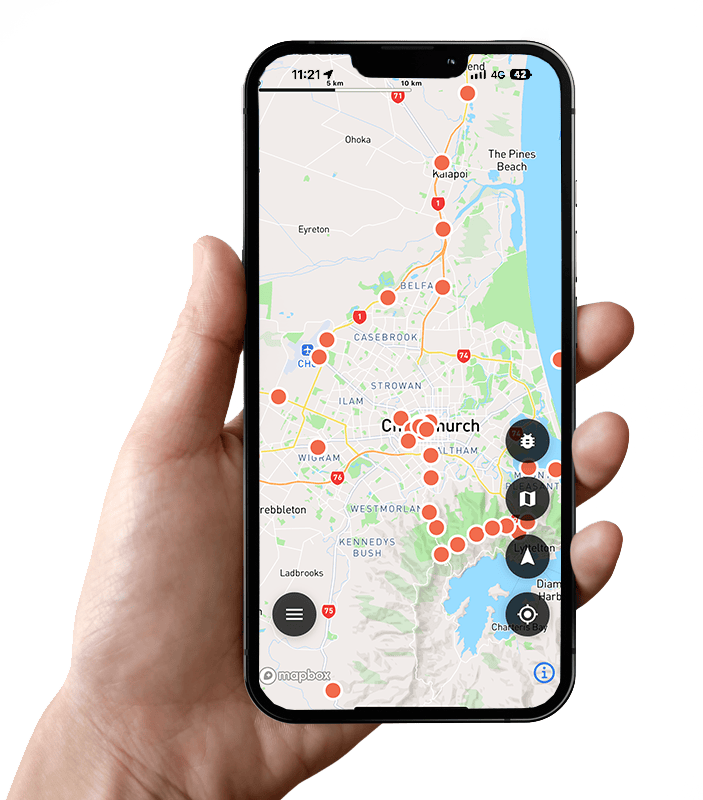
As you travel, the app recognises when you approach selected locations and automatically triggers relevant Kruse audio commentary.
Why isn’t Kruse playing stories automatically?
First, check that Location Services/GPS are enabled for the Kruse app.
Kruse needs permission to access your location so it can identify when you reach a commentary location.
Also check that:
- The required Kruse content has been downloaded.
- Your phone’s location services are switched on.
- Kruse has the required location permission.
- Your phone’s audio volume is turned up.
- Audio is being sent to the correct speaker or Bluetooth device.
If these settings are correct and Kruse still isn’t operating normally, please contact Kruse Support.
Do I need to give Kruse permission to use my location?
Yes. GPS location is fundamental to the Kruse experience.
Kruse uses your location to determine when to automatically play the appropriate commentary as you travel.
Why does Kruse need location access?
Kruse is a location-based travel guide.
Your location enables the app to automatically provide relevant stories about the places you are travelling through.
Does Kruse track me?
No, Kruse does not capture, record or store any location data or track any user movements.
Audio Problems
I can see Kruse operating but can’t hear anything.
Check your phone’s media volume first.
If you are connected to your vehicle using Bluetooth, Apple CarPlay, Android Auto, or another audio system, check that the vehicle is using the correct audio source.
You can also disconnect Bluetooth temporarily and test whether Kruse audio plays through your phone’s speaker.
Why is the commentary playing through my phone instead of the car?
Your phone may not currently be connected to your vehicle’s audio system.
Check your Bluetooth or vehicle audio connection and confirm that media audio from your phone is enabled.
Will Kruse work through Bluetooth?
Yes. If your phone is correctly connected to your vehicle’s Bluetooth audio system, the Kruse commentary can be played through the vehicle’s speakers, which we recommend, as the app has been designed for stereo playback.
Does Kruse work with Apple CarPlay?
Kruse will work with Apple CarPlay; however, due to issues of inconsistent compatibility, we recommend that you connect the Kruse app via Bluetooth to the vehicle stereo system directly
Does Kruse work with Android Auto?
Kruse will work with Android Auto; however, due to issues of inconsistent compatibility, we recommend that you connect the Kruse app via Bluetooth to the vehicle stereo system directly.
The volume is too quiet.
Check both your phone’s media volume and your vehicle’s audio volume.
If connected by Bluetooth or another vehicle audio system, the phone and vehicle may have separate volume controls.
Commentary Not Playing
We drove past somewhere, but no story played.
There are several possible causes.
Check that:
- Location Services are enabled.
- Kruse has the required location permissions.
- The appropriate travel content has been downloaded.
- Your phone’s audio is operating.
- Kruse is operating as required in the app.
Check your phone battery has not been set to power-saving or optimisation mode and this will affect GPS reception and prevent the commentaries from triggering.
Not every location will necessarily have a commentary.
If you believe a commentary should have played and repeatedly does not, please contact Kruse Support.
Do I have to press Play every time?
No. One of the key features of the Kruse GPS Travel Guide is that stories are automatically triggered according to your location as you travel.
You can, however, replay commentaries along your journey by touching the 3 horizontal bars at the bottom left of the map screen and then selecting “Trip Memories. Here you can touch the relevant trip, touch the commentary you would like to hear again, and the commentary will play.
How close do I have to be before a commentary starts?
Kruse commentaries are associated with predetermined GPS locations and are designed to trigger automatically as you travel.
The exact triggering distance can vary according to the location and travel environment.
What happens if GPS temporarily loses my location?
GPS performance can occasionally be affected by the surrounding environment, your device, or its settings.
Once your phone establishes an accurate location again, Kruse should continue operating normally.
Using Kruse While Travelling
Do I have to plan a specific route?
No. Kruse is designed to accompany independent travellers. As you travel through areas covered by Kruse, relevant stories are automatically triggered according to your location.
Does Kruse tell me where to drive?
Kruse is a GPS-triggered travel guide rather than a turn-by-turn navigation system. You can use your preferred navigation app for directions, while Kruse provides stories about the places you’re travelling through.
Can passengers use Kruse?
Yes. Kruse is particularly suited to self-drive travel, allowing everyone in the vehicle to hear stories about the places you are travelling through.
The driver should not interact with the phone while driving.
Can I use Kruse in a rental car or motorhome?
Yes. Kruse is designed for self-drive travellers exploring New Zealand, including people travelling in rental cars and motorhomes.
Safety
Can I operate Kruse while driving?
Kruse is designed to automatically trigger commentary so that drivers do not need to interact with the app as they travel.
Set up Kruse and your vehicle’s audio connection before beginning your journey.
Drivers should always comply with New Zealand road rules and should never interact with a mobile phone while driving when doing so would be unsafe or unlawful.
We’re all about the journey
Whether you’re a traveller, a local, or a history enthusiast, Kruse is here to transform the way you explore Aotearoa New Zealand. Download the app today and experience the magic of storytelling on the road.